
YouTube Thumbnail Sizes: The Complete Guide (2026)
If you want to maximize your click-through rate (CTR) and get more views, you need to master YouTube thumbnail sizes. A blurry or improperly cropped custom thumbnail can ruin a great video’s chances in the algorithm. In this updated 2026 guide, we will break down the exact dimensions, formats, and best practices you need to create perfect covers every single time.
The Ideal YouTube Thumbnail Size
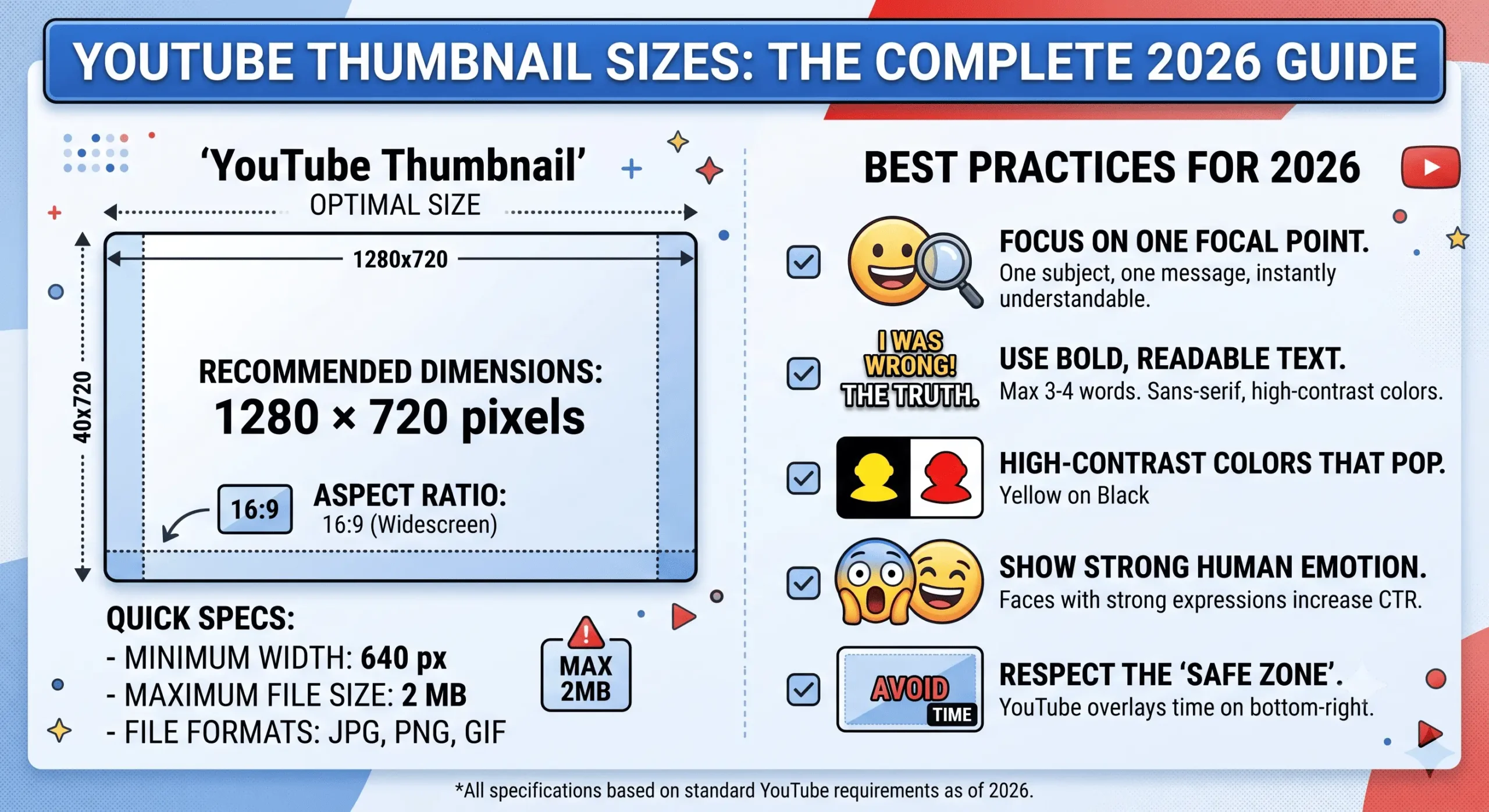
The official and most optimal YouTube thumbnail size is 1280 x 720 pixels. This resolution ensures your image looks incredibly sharp on large desktop monitors and smart TVs, while scaling down perfectly for mobile devices.
Quick Specifications Summary:
- Ideal Resolution: 1280 x 720 pixels (HD)
- Minimum Width: 640 pixels
- Aspect Ratio: 16:9
- Maximum File Size: 2 MB
- Supported Formats: JPG, PNG, or GIF (without animation)
Why the 16:9 Aspect Ratio Matters
YouTube’s video player and preview grids are built around a standard 16:9 aspect ratio. If you upload an image in 4:3 or a square format, YouTube will automatically add ugly black bars (letterboxing) to the sides to force it into their layout. Always set your design canvas to 1280×720 to lock in that 16:9 ratio before you start designing.
Mobile Safe Zones and The Timestamp Rule
In 2026, over 70% of YouTube consumption happens on mobile devices. When designing within the standard YouTube thumbnail sizes, you must account for “Safe Zones”.
The most critical rule is avoiding the bottom right corner. YouTube overlays a black timestamp box indicating the video’s length exactly in this spot. If you place essential text or a logo in the bottom right, it will be completely hidden from your viewers.
How to Verify a Competitor’s Thumbnail Size
Ever wonder if top creators are using full 1280×720 resolutions or compressing their images? You can inspect their actual upload sizes using our free YouTube Thumbnail Downloader tool. Just paste their video link, and we will show you exactly what resolution they uploaded (from MAXRES down to DEFAULT).
Frequently Asked Questions
What happens if my thumbnail is over 2MB?
YouTube Studio will reject the file and display an error message. If your PNG file is too large, try converting it to a high-quality JPG or use an online image compressor to reduce the file size without losing visible quality.
Can I use 1920×1080 for my YouTube thumbnail?
Yes, 1920×1080 shares the exact same 16:9 aspect ratio as 1280×720. However, 1920×1080 files are often larger than the 2MB limit. Unless you aggressively compress the image, sticking to the standard 1280×720 is the safest and most efficient choice.
Does YouTube Shorts use the same thumbnail size?
Shorts are viewed in a 9:16 vertical format. However, if a Short appears in a standard YouTube search result or on a channel page grid, YouTube pulls a standard 16:9 thumbnail. For best results across the platform, uploading a standard 1280×720 thumbnail for your Shorts is still recommended.